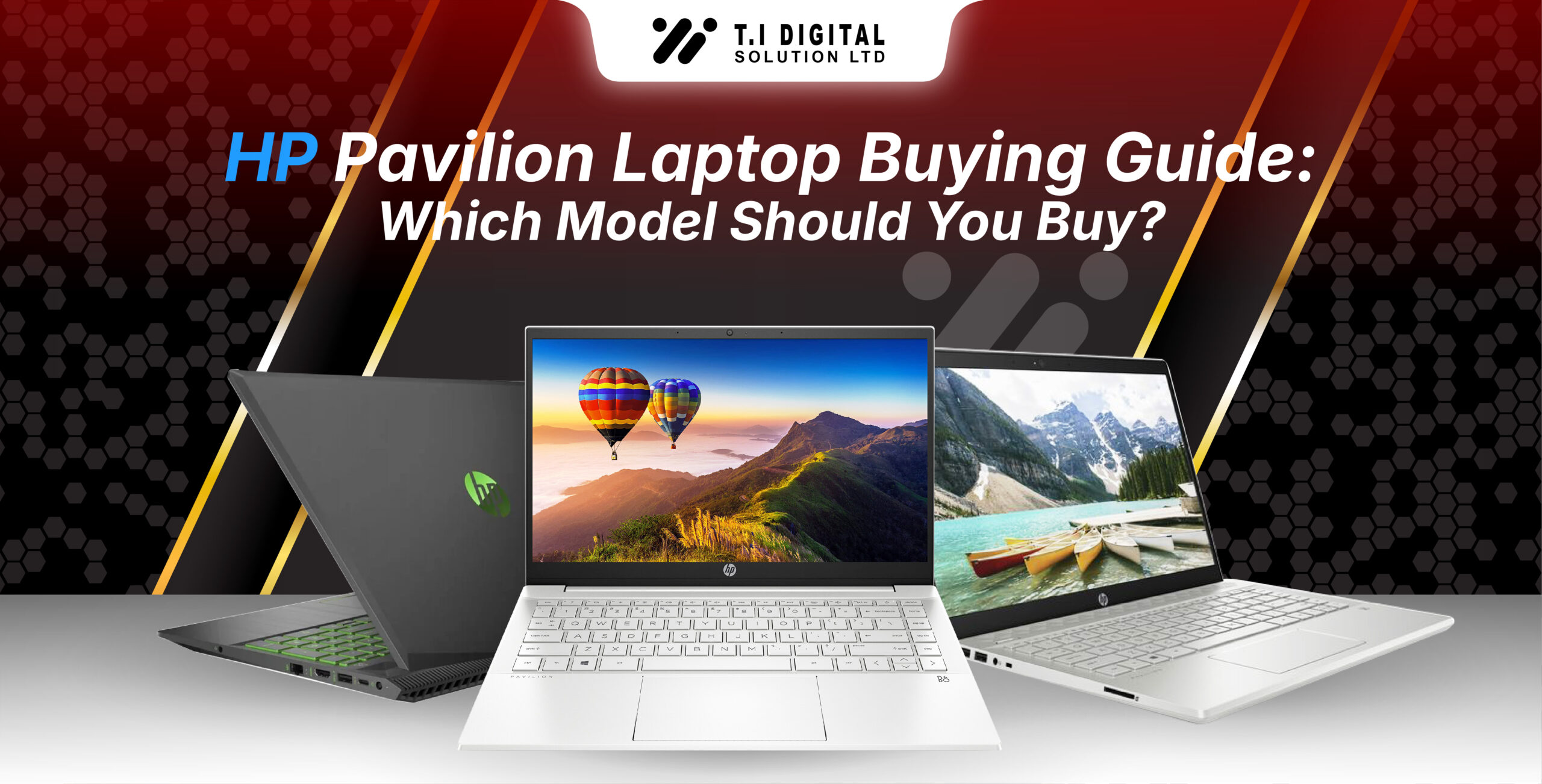
Pavilion 2025 Line-Up Overview (Pavilion 14, 15, x360, Aero, Plus)
Let’s break down the Pavilion family so you understand the unique purpose of each model:
Model
Primary Focus
Ideal User
Portable All-Rounder (14-inch display)
Larger Display Productivity Machine (15.6-inch display)
Touchscreen 2-in-1 Convertible
Premium Performance & Display
Ultra-Light Magnesium-Aluminum
Students, everyday productivity, travelers
Hybrid work, home office, heavy multitaskers
Note-taking, teachers, casual creatives
Creators, power users, future-proofing
Commuters, frequent travellers (under 1kg)
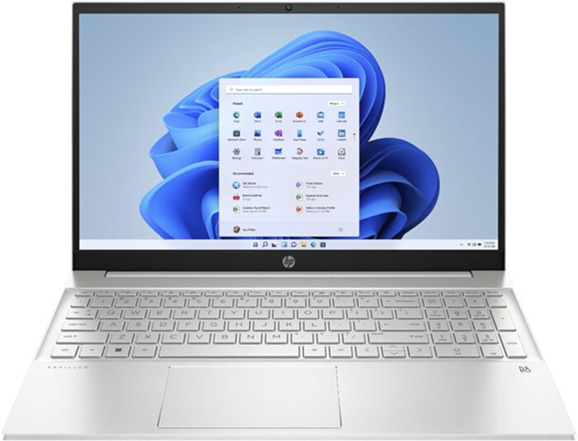
HP Pavilion Models Explained
HP Pavilion 14 — Best for Students & Everyday Use
The Pavilion 14 is often the “default” choice for most people — and for good reason. It strikes a perfect balance between size, comfort, speed, and battery life.
You get a compact footprint that fits easily in backpacks, with modern Intel Core i5 or AMD Ryzen 5 options that glide through everyday tasks. The keyboard feels comfortable for long typing sessions, and the battery usually lasts a full school or office day if you manage brightness well.
Overall, it’s the safest and most reliable pick for anyone wanting a laptop that doesn’t feel too big or too limiting.
Ram 8 GB DDR4
Storage 256 GB SSD
Processor Intel Core i3
Screen Size 14 inches
Color Natural Silver
Reslution 1920 x 1080 pixels
HP Pavilion 15 — Larger Display & Better Thermal Performance
If you prefer more screen space, a full-size keyboard layout, and smoother performance under heavy workloads, the Pavilion 15 is a clear upgrade. The larger chassis allows for better cooling, so it handles multitasking and sustained performance better than the 14-inch version.
Whether you’re working on spreadsheets, editing documents, coding, or running multiple apps, the Pavilion 15 laptops feels more comfortable over long sessions. It’s ideal for hybrid employees, home office setups, and anyone who wants more room to breathe.
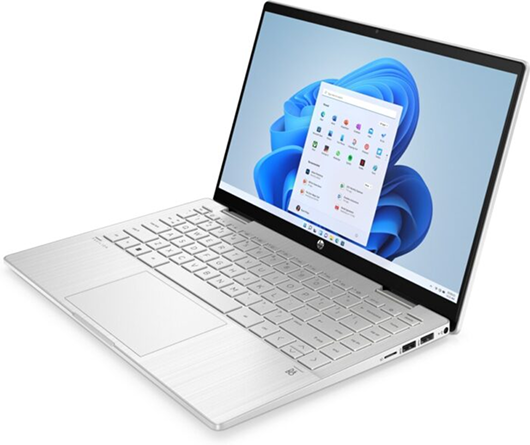
HP Pavilion x360 — 2-in-1 Touchscreen Flexibility
The Pavilion x360 is perfect for people who love touchscreens or want the flexibility of a tablet and laptop in one device. Its 360° hinge allows you to flip the screen into tablet, tent, or stand mode, which is incredibly useful for note-taking, drawing, reading, presenting, or watching videos.
It’s slightly heavier than the standard Pavilion 14, and because of the hinge mechanism, it may not cool as efficiently under extreme workloads — but for day-to-day use, it’s smooth, fun, and versatile.
If you’re a student, teacher, note-taker, or someone who loves touchscreen interaction, Pavilion x360 is worth it.
HP Pavilion Plus — Premium Display & Performance Boost
This model caters to buyers who want a more premium Pavilion experience without crossing into HP Envy territory. The Pavilion Plus often includes:
If you work with visuals, run creative tools, or want a more future-proof Pavilion that doesn’t feel basic, the Pavilion Plus stands out.
HP Pavilion Aero — Ultra-Lightweight Option
The Pavilion Aero is surprisingly premium for its price range. It uses a magnesium-aluminum chassis that feels sturdy but is super lightweight — often under 1kg. Despite the thin and light design, it offers strong performance thanks to Ryzen processors and excellent battery life.
This is ideal for commuters, frequent travellers, and anyone wanting a highly portable machine without sacrificing speed.
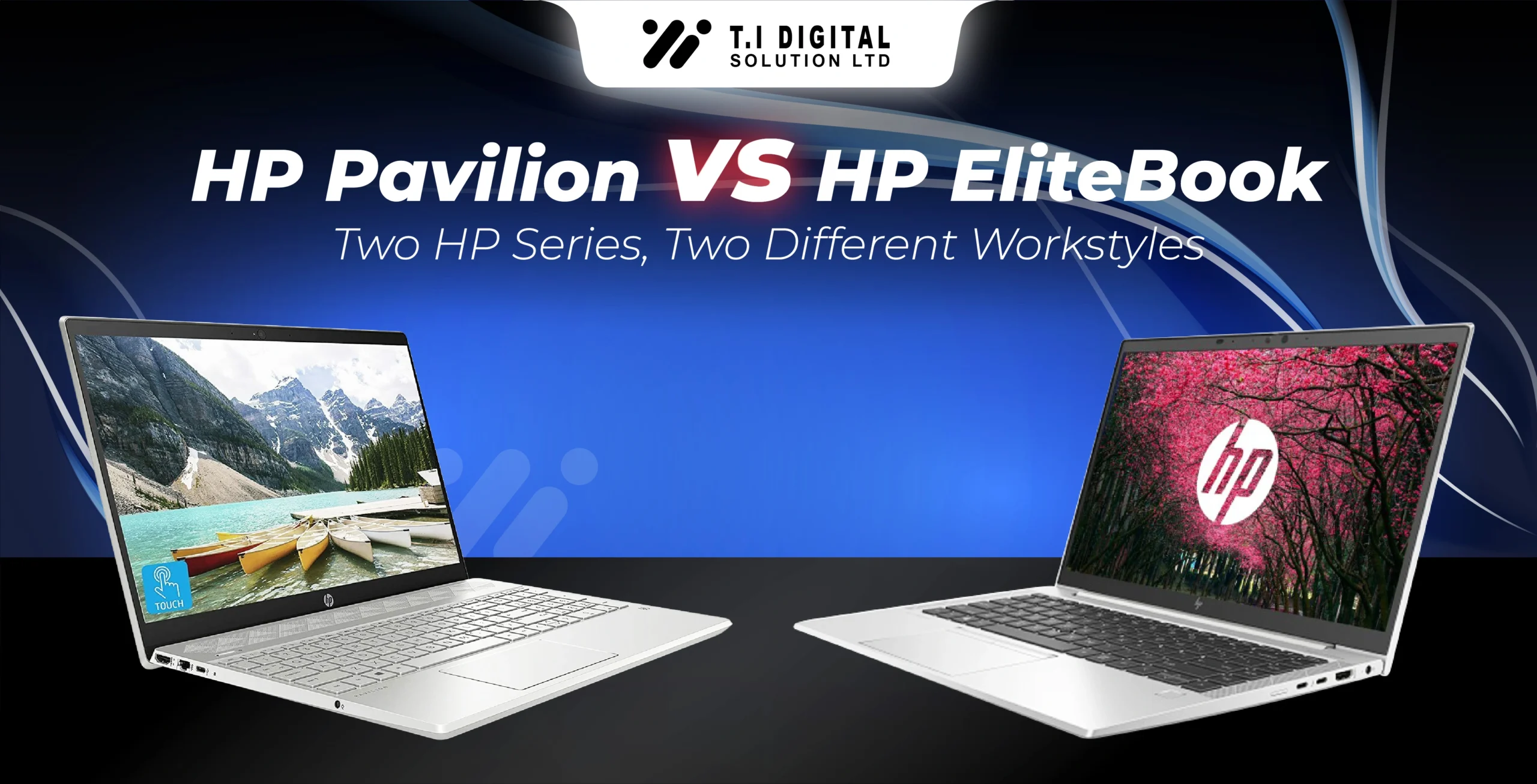
HP Pavilion 14 vs HP Pavilion 15: Which Is Better?
Choosing between the HP Pavilion 14 and Pavilion 15 is one of the most common questions buyers ask. While both belong to the same family and share similar performance options, they offer very different experiences. The right choice depends almost entirely on how—and where—you plan to use your laptop.
Let’s break it down in a way that actually helps you decide:
Excellent — compact &
lightweight
Good — larger and less
portable
15.6-inch IPS (brighter options
available)
Same CPU options; ideal for
everyday use
Same CPU options; better thermals for heavy tasks
Smaller keyboard
& screen
Larger keyboard, bigger screen—better for long hours
Students, travelers,
casual users
Office workers, multitaskers,
light creators
Pros & Cons: Pavilion 14 vs Pavilion 15
HP Pavilion 14 — Pros & Cons
HP Pavilion 15 — Pros & Cons
HP Pavilion 14 — Built for Mobility
The Pavilion 14 is noticeably lighter and more compact. It slips easily into a backpack or tote, takes up less desk space, and feels more comfortable for students, commuters, and anyone constantly on the move.
HP Pavilion 15 — A Better At-Home Workspace
The Pavilion 15 offers more room to breathe. With its larger screen and keyboard layout, it’s the better choice if you primarily work at a desk or prefer a more comfortable, desktop-like experience.
In simple terms:
If you carry your laptop everywhere → Choose Pavilion 14
If you mostly stay in one place → Choose Pavilion 15
HP Pavilion x360: When Is a 2-in-1 Worth It?
Touchscreen & Stylus Support
The x360 becomes incredibly useful if you like interactive work — drawing, marking documents, digital note-taking, or using apps like OneNote, Sketchbook, or Notability.
Ram 16 GB DDR4
Storage 512 GB SSD
Processor AMD Ryzen™ 7
Screen Size 15.6 inches
Color Silver
Reslution 1920 x 1080 pixels
Performance Limitations vs Non-Convertible Models
The hinge mechanism adds weight and limits interior space, so thermals aren’t as strong as Pavilion 15.
For regular users, it’s fine. For heavy workloads, not ideal.
Best Uses: Note-Taking & Casual Creative Work
The Pavilion x360 shines when it comes to hands-on interaction. Its touchscreen and 360° hinge make it feel more like a digital notebook than a traditional laptop. If you enjoy writing with a stylus, sketching ideas, annotating PDFs, or using apps like OneNote and Canva, this model fits perfectly into your workflow.
It’s especially helpful in environments where flexibility matters — classrooms, meetings, studios, or when you present while moving around. Whether you’re jotting quick notes, creating simple illustrations, or flipping it into tablet mode for reading, the Pavilion x360 offers an adaptable experience you won’t get from a standard clamshell laptop.
Perfect for: students, teachers, presenters, digital artists, and anyone who simply prefers interacting with a touchscreen.
Performance Breakdown: Intel vs AMD in HP Pavilion
Your Pavilion’s performance depends heavily on the processor you choose. While Intel and AMD both offer great options, they excel in slightly different areas. Here’s a clear, buyer-friendly breakdown to help you choose the right one.
Dedicated GPU Options (Pavilion Gaming)
If your priority is gaming, video editing, or 3D work, the regular Pavilion lineup is not the right category.
HP offers Pavilion Gaming models with NVIDIA GPUs (GTX/RTX), but those fall into a separate, gaming-focused series.
Real-World Usage: Which HP Pavilion Fits Your Needs?
Matching a laptop to your lifestyle is more important than matching specs. Here’s a simplified guide to help you find the best Pavilion model based on how you actually use your laptop.
HP Pavilion for Students
Pavilion 14 (i5 or Ryzen 5)
Lightweight, great battery life, and fast enough for assignments, multitasking, and online classes.
HP Pavilion for Work From Home
Pavilion 15
The larger display, full keyboard, HDMI output, and better cooling make it ideal for long work sessions.
HP Pavilion for Multitasking
Pavilion Plus (i7 or Ryzen 7)
More cores, higher sustained performance, and better displays for productivity.
Ram 8 GB DDR4
Storage 512 GB SSD
Processor Intel Core i5
Screen Size 14 inches
Color Natural Silver
Reslution 1920 x 1080 pixels
HP Pavilion for Programming
Pavilion 15 with 16GB RAM
The bigger screen helps with IDEs and multiple windows, while the extra RAM keeps things smooth.
HP Pavilion for Light Gaming
Pavilion 15 with Ryzen 5
AMD Radeon graphics + better cooling = best balance of price and performance.
HP Pavilion Laptops for Creative Work
Pavilion Plus with OLED
The OLED display offers superior color accuracy, contrast, and clarity for photo/video editing.
Display & Build Quality
Your screen and build materials have a huge impact on everyday comfort. Here’s what to expect from each Pavilion model.
Brightness Levels & Color Accuracy
Build Material: Plastic vs Magnesium-Aluminum (Aero)
Most Pavilion laptops use durable, high-quality plastic designed to keep weight low and costs reasonable.
The exception is the Pavilion Aero, which uses a magnesium-aluminum alloy:
It’s the closest Pavilion gets to the premium Envy build quality.
Battery Life & Charging
Battery performance varies by model, but here’s what you can realistically expect in daily use:
Battery Life Benchmarks
HP Fast Charge Support
Most Pavilion laptops support HP Fast Charge, which can get you from 0% to about 50% in roughly 45 minutes. Perfect for quick top-ups before class or a meeting.
Battery Watt-Hour Comparison
The Pavilion 15 usually includes a slightly larger battery (higher Wh), but real battery life depends more on the processor and display brightness.
Ram 16 GB DDR4
Storage 512 GB SSD
Processor Intel Core Ultra 5
Screen Size 15.6 inches
Color Natural Silver Aluminum
Reslution 2560 x 1600
RAM, Storage & Future Upgrades
Storage and memory affect your laptop’s speed and future-proofing more than anything else.
RAM Options (8GB, 16GB, 32GB)
SSD Storage Options
Upgrade Possibilities
HP Pavilion Pricing Guide (UK Focus)
Understanding when to buy and what to expect in terms of cost can make a big difference — especially when trying to maximize value.
When to Buy a HP Pavilion in the UK
It’s not just about choosing the right model — timing your purchase can help you get the best deal. Here are the key moments to watch:
- Back-to-school season: Retailers and HP itself often run student-focused promotions as the new academic year approaches.
- Black Friday: One of the biggest discount opportunities, especially on laptops.
- Boxing Day: A post-Christmas sales wave that frequently includes tech.
- Summer sales: Mid-year promotions can surface, especially when newer models are being released.
HP Pavilion vs HP Envy: Which Offers Better Value?
To decide which series is better for you, it helps to compare both the immediate costs and the long-term benefits.
Display & Build Differences
Final Recommendation — Which HP Pavilion Laptop Should You Buy?
After exploring all the Pavilion models, performance options, and practical tradeoffs, here’s my expert take on which Pavilion model is right for different kinds of users. Use this as a guide — and combine it with your personal priorities, budget, and how you use your laptop.
1. Best Budget Pick — Portable, Reliable, and Affordable
Go for: HP Pavilion 14 (Core i5 or Ryzen 5)
If your top priorities are portability, good performance, and a lower price point, the Pavilion 14 is your best bet. It’s lightweight, has solid battery life, and is powerful enough for studying, work, or daily multitasking — without making big compromises. For most students or casual users, this model delivers the strongest value.
2. Best Performance Pick — Power and Future-Proofing
Go for: HP Pavilion Plus (Core i7 or Ryzen 7)
If you want a Pavilion that can handle more demanding workloads — like editing photos or video, running development environments, or juggling many apps — plus benefit from a better display, Pavilion Plus is ideal. Its powerful CPU and optional premium screen make it a strong performer for creators and professionals who don’t want to invest in HP’s highest-end lines.
3. Best AllRounder — Versatile and Balanced
Go for: HP Pavilion 15 (16 GB RAM, mid-to-high spec)
The Pavilion 15 hits a sweet spot between screen size, performance, and thermals. With a 15.6-inch display, good cooling, and the right RAM configuration, it’s a reliable “do-it-all” machine. For remote work, multitab workflows, or even some modest creative tasks, this is a very balanced pick.
4. Best for Students — Lightweight, Long Battery, Classroom Ready
Go for: HP Pavilion 14 or Pavilion x360
Pavilion 14: If you want a traditional clamshell design that’s light, durable, and efficient.
Pavilion x360: If you’d prefer touchscreen flexibility for note-taking, sketching, or using it like a tablet in class.
Either way, paired with 8 GB or 16 GB RAM, these models give you excellent portability and functionality for academics.
Ram 16 GB DDR4
Storage 512 GB SSD
Processor AMD Ryzen™ 5
Screen Size 13.3 inches
Color Natural Silver
Reslution 1920 x 1200